WEBSITE POPUP BUILDER
Convert more
opt-ins and sales
Convert more
opt-ins and sales
Turn your traffic into revenue with CRO-ready templates, gamification, behavior-based personalization, and A/B testing autopilot.
Turn your traffic into revenue with CRO-ready templates, gamification, behavior-based personalization, and A/B testing autopilot.
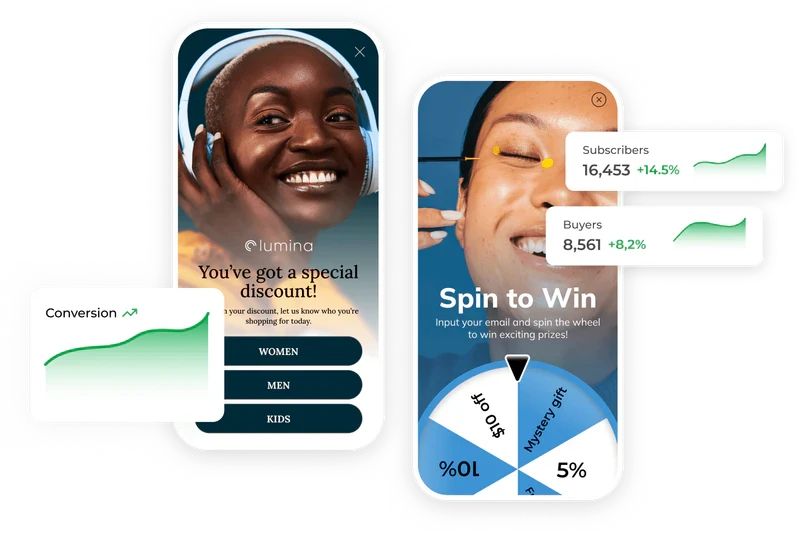
Achieve any goal with Claspo popup
builder
Any campaign you imagine — ready to launch in minutes.
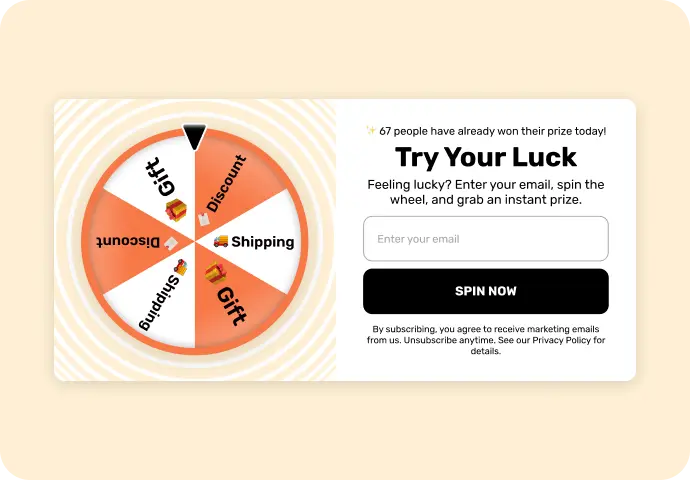
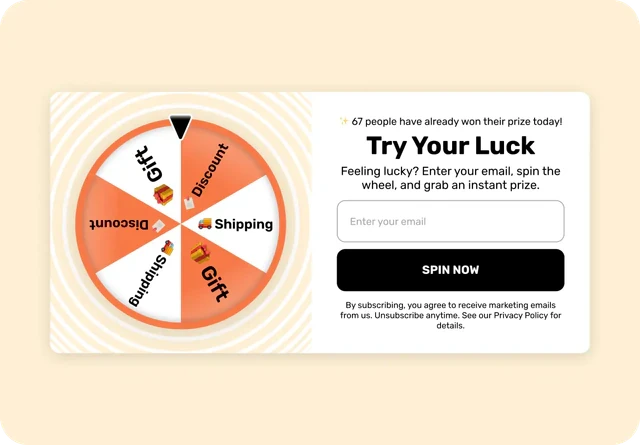
Grow email list
Create signup forms, floating boxes, and gamified offers that capture attention and convert more opt-ins.
Create signup forms, floating boxes, and gamified offers that capture attention and convert more opt-ins.
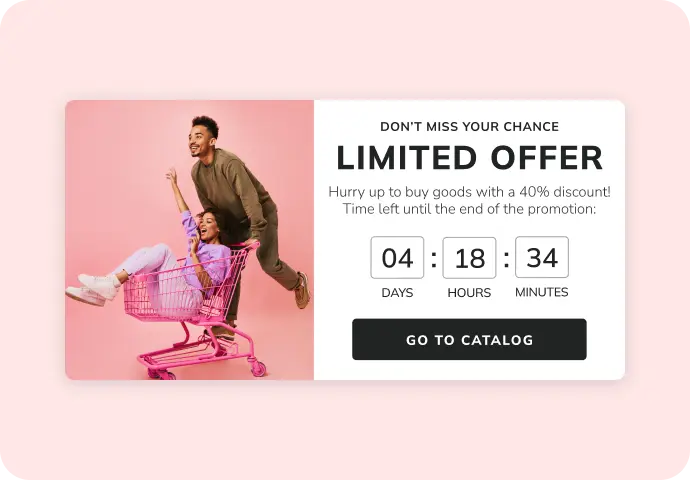
Increase sales
Use personalized offers, countdown timers, coupon popups, and product banners to covert more sales, recover carts, and grow your average order value.
Use personalized offers, countdown timers, coupon popups, and product banners to covert more sales, recover carts, and grow your average order value.
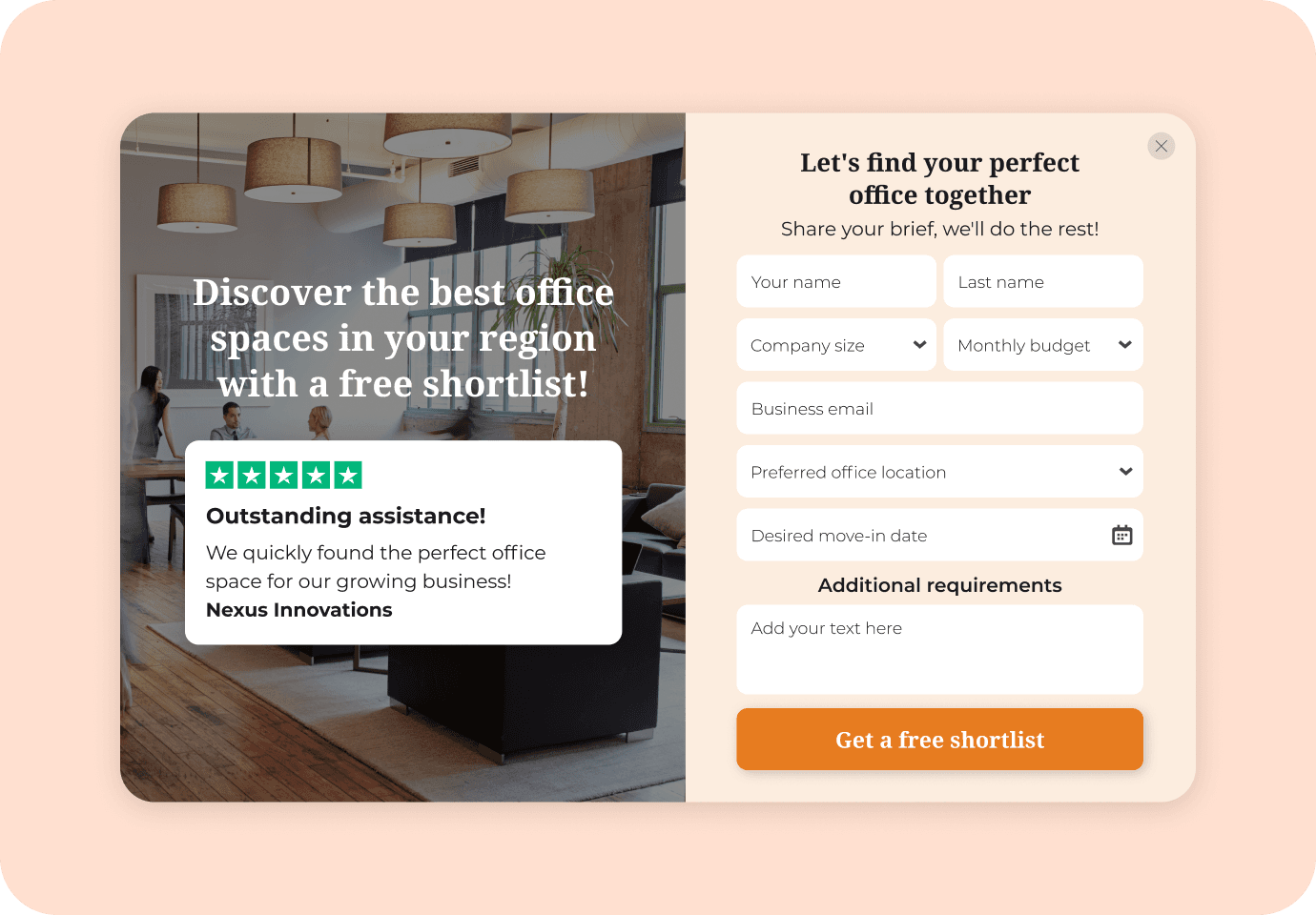
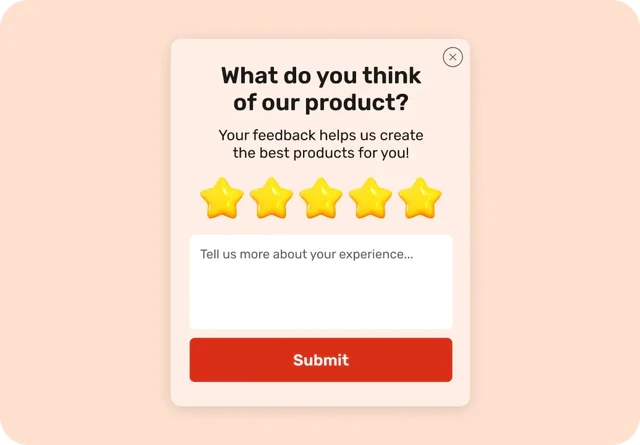
Capture high-intent leads
Use forms, multi-step flows, and quizzes that capture intent in the moment — so you get leads ready to convert.
Use forms, multi-step flows, and quizzes that capture intent in the moment — so you get leads ready to convert.
Explore more
Design freedom. No skills required
Create from scratch or easily customize any template with an intuitive drag-and-drop editor.
Create from scratch or easily customize any template with an intuitive drag-and-drop editor.
Target smarter. Engage better
Target smarter. Engage better
Deliver the right message to the right visitor — at the perfect moment.
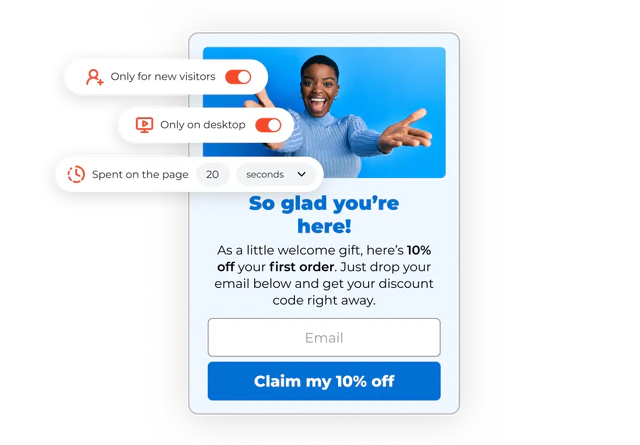
Precise targeting
You’re always in control — who sees, when, where, and how often.
You’re always in control — who sees, when, where, and how often.
User data
User data
Personalize experiences by visitor type, device, and location.
Behavioral parameters
Behavioral parameters
Reacts to user actions — time, scroll, views, or exit intent
URL parameters
URL parameters
Targets users by URL, UTM tags, or CSS rules.
Advanced data sources
Advanced data sources
Pulls info from cookies, local storage, and Shopify.
Smart personalization
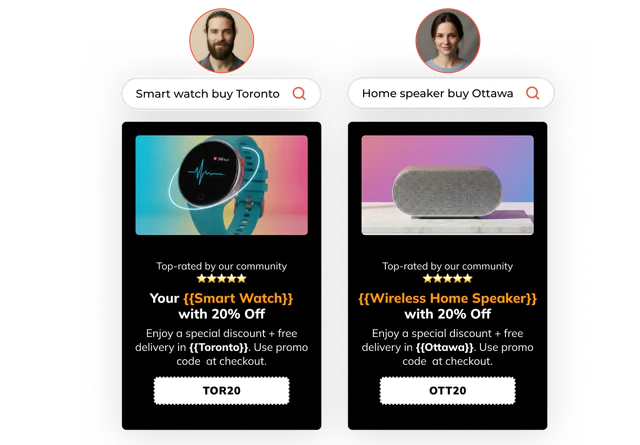
Speak to every visitor like you know them — with dynamic content, offers, and language in one place.
Dynamic content
Dynamic content
One widget adapts to each page or product.
Personal greetings
Personal greetings
Show names or custom messages with merge tags.
Multi-language support
Multi-language support
Automatically display the right language for each visitor.
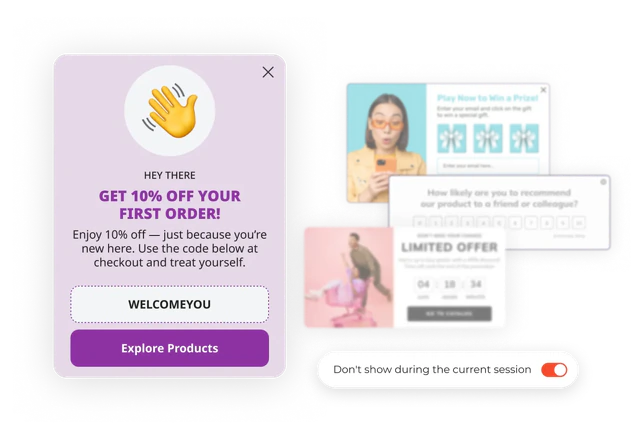
One popup at a time
Claspo popup maker prevents overlapping or repetitive popups automatically — so your site always feels clean and professional.
Claspo popup maker prevents overlapping or repetitive popups automatically — so your site always feels clean and professional.
Automatic overlap protection:
Automatic overlap protection:
only one widget shown at a time.
Silence intervals:
Silence intervals:
add a cool-down between displays.
Smart sequencing:
Smart sequencing:
control the order of multiple widgets.
Connects with any marketing tool you use
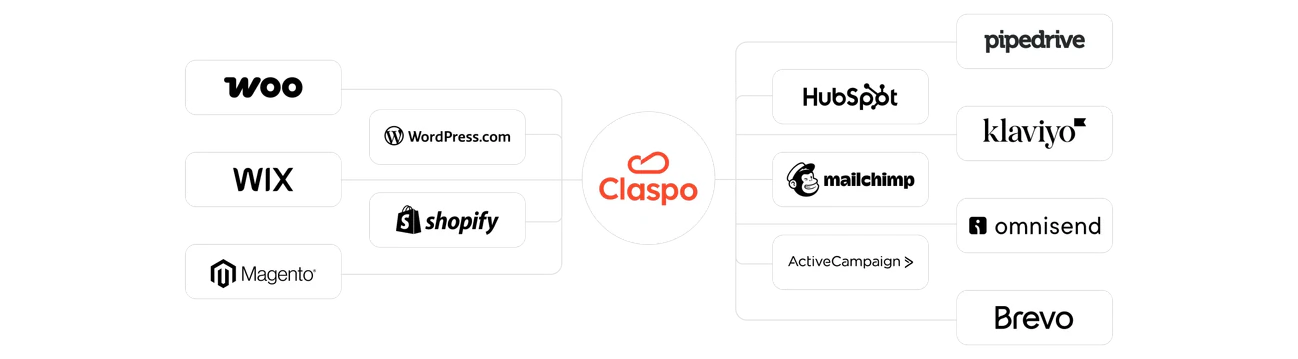
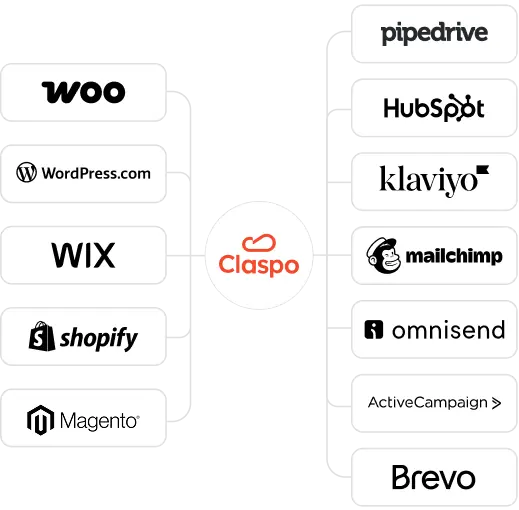
Claspo popup builder integrates seamlessly with your favorite tools via native integrations, connectors or webhooks. No double work.
Native integrations
Native integrations
Connect Claspo directly with your CRM, ESP, or CDP.
Universal connections
Universal connections
Send data anywhere via Zapier and webhooks.
Automatic sync
Automatic sync
Leads, events, and UTM data flow instantly.
Featured in


See the Results Achieved with Claspo by Similar Companies Like
Yours
See the Results Achieved with Claspo by Similar Companies Like Yours






What Our Clients Say About Us

Maruti Konduri
Co-founder of Cracku
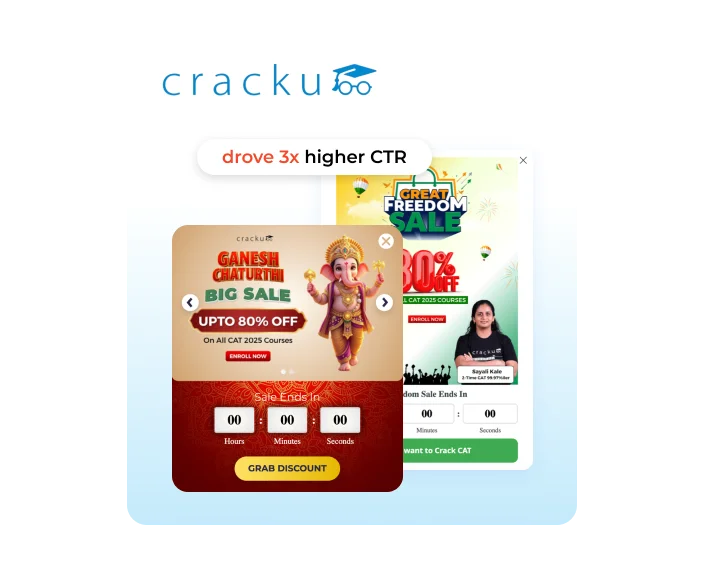
Seasonal countdown widgets delivered dramatic lift — taking Cracku’s campaigns from ~1.8% CTR to 7-8% in just a few days. Smart urgency, precise targeting, and festive relevance generated up to 4× higher CTR compared to their regular promos.

Borys Skowron
Founder of WHOSE
We saw a huge improvement in sign-up rates — going from around 3-5% to as high as 50% with the gamified widgets.

Tony Fiston
Marketing
It looks like Claspo makes creating and launching website widgets easy fot any coding skills. I am excited to try the customization options and KPI-driven analytics to optimize my site's conversion.

Product Hunt

Kate K.
Partner Relations Manager
The A/B testing feature is a huge plus! Overall: With Claspo's wide range of customizable widgets, you can create all kinds of interactive elements that help your sites stand out and engage visitors. The A/B testing allows you to optimize each element and determine which widget performs better

Capterra

Viktoriia Tsalpinska
Email Marketing Specialist, Grade.ua
We decided to introduce a floating information widget. It is not intrusive, but it had to appear with each new session. Claspo was the easiest way to do this. The platform is easy to understand, you can figure everything out in half an hour.
Capterra

Jordan S.
Product Marketing Lead
An easy-to-use and customizable solution. No cons were found during the work, overall clear and useful functionality.
Capterra

Nikita Gontar
Retention Manager, Devart
Incredible easy-to-use software with a bundle of features that can help you to obtain more leads. Awesome customer support. Highly recommended!
Capterra

Serhii Doroshenko
Retention Team Lead MAUDAU
We seamlessly plugged in Claspo to our site without developers involved. Now, our marketing team effortlessly runs A/B tests and kicks off promos at lightning speed. The results? Solid revenue boosts and promotions that hit the mark. Big thanks to Claspo for elevating our business game!

Capterra

Kateryna Tkachuk
Lead UI/UX Designer
I am most attracted to the design and clear navigation. The interface was immediately clear and I didn't have to spend time watching training videos. I was also able to choose the form and design it myself. This helps to speed up the process of working with the website.

G2

Eugene Samoladas
Head Of Marketing
I don't waste my time learning how to use the service. Everything is built very intuitively. Easy to create launch, and update. Quick response from the team and component enrichment compared to other companies.
G2
Get on your website in seconds
Claspo works anywhere — with WordPress, Shopify, or any custom website. No code. No developers. No delay.
Shopify plugin
Wordpress
plugin
Any other
website or CMS
⚡ Blazing-fast loading speed
🛡️ GDPR compliant & 99.9% uptime
🌐 Trusted by 100K+ active sites worldwide
Get on your website in seconds
Claspo works anywhere — with WordPress, Shopify, or any custom website. No code. No developers. No delay.
Shopify plugin
Wordpress
plugin
Any other
website or CMS
⚡ Blazing-fast loading speed
🛡️ GDPR compliant & 99.9% uptime
🌐 Trusted by 100K+ active sites worldwide
Get on your website in seconds
Claspo works anywhere — with WordPress, Shopify, or any custom website. No code. No developers. No delay.
Shopify plugin
Wordpress
plugin
Any other
website or CMS
⚡ Blazing-fast loading speed
🛡️ GDPR compliant & 99.9% uptime
🌐 Trusted by 100K+ active sites worldwide
Claspo popup builder FAQs
To get started, just create a free Claspo account. You can immediately begin building pop-ups to target visitors, collect leads, and explore all features without paying anything upfront. Once you’re in, choose a template from our library of more than a thousand ready-made designs — this saves a lot of time and design effort. After picking the template, you’re free to change the styling and the message until it feels right, and choose the situation where the pop-up should show for the visitor. To have it appear on your website, you just place a short script in your pages. That’s all the setup you need.
Our drag-and-drop popup builder makes it easy to build pop-ups that actually convert — without needing a designer or a bunch of tools. There’s a big template library — over a thousand to pick from — so you’re not building everything from the ground up. You choose one, make a few changes to the layout or wording, and it’s ready to go. The editor’s drag-and-drop, pretty easy to use. But if you like to get into the details, there’s room to do that too.
As for who sees what — that’s up to you. You can set it to show messages based on where someone’s visiting from, what they’re doing on the site, or even which page they’re on. Add triggers like scroll, time on page, exit intent — whatever fits your flow.
There’s also A/B testing if you want to compare ideas, plus real-time analytics so you can track what’s working and what’s not. And if you want to drive engagement, the popup builder tool has gamified widgets too — spin-to-win, scratch cards, that sort of thing — which tend to catch more attention than regular forms.
One of the best parts? Every feature is available on every plan — even the free one. No hidden paywalls, no watered-down versions. You get the full toolkit of popup builder tools right from the start.
A popup builder isn’t tough to figure out. You pick a template that matches what you’re trying to do, like adding more subscribers or trying to keep someone from leaving their cart. Then you can tweak how it looks and what it says so it doesn’t stick out on your site.
After that, you choose when it should show up. Maybe only on a couple of pages, maybe for people from certain places, or maybe when they scroll or look like they’re about to leave.
Once the popup’s live, you can run an A/B test by creating another take on it and see which one your audience seems to prefer. The numbers update while people use your site. If you’re gathering emails, you’ll see those contacts listed in the leads section with the details you collected.
All you really need is access to your site. You don’t have to bring in a developer or chase down a designer for help. To show widgets, you add a tiny piece of code to your pages — and that’s pretty much the whole setup. It’s very light, so your pages won’t start crawling.
Our popup builder software connects with most popular platforms out there: WordPress, Shopify, and a bunch of other CMS tools. You can also set everything up through Google Tag Manager if that’s how you manage scripts.
Once the snippet is added, you can build widgets in the visual editor by dragging things into place. Everything happens there — no coding needed just to publish something.
Claspo popup maker has several layouts to choose from.
Popup widget shows up in the middle of the screen — can’t miss and great for urgent messages.
Floating boxes are more subtle, sit in the corner without interrupting the experience.
Floating bars sit at the top or bottom — perfect for promos, shipping info or quick updates.
Built-in widgets sit inside the page layout and blend in with the content.
Teasers start as small buttons and expand when clicked — clean and unobtrusive.
Content-blocking widgets cover the page until visitors take action — great for age checks or consent.
All are fully customizable and you decide who sees what, when and where.
Yes — our custom popup builder has a full library of pre-designed templates you can start with. There are over 1000 of them, covering different goals, layouts, and occasions — from email signups and promo codes to seasonal offers and cart recovery. You can change whatever you need — the colors, the wording, layout, images, all of it. Nothing’s locked in. The entire template library is available on every plan, including the free one. No locked designs, no limits.
Claspo plays nicely with the platforms most people already use. WordPress, Shopify, other CMS tools — no problem. You can also hook it up using Google Tag Manager if that’s your thing.
For email and CRM, the popup software connects directly with tools like HubSpot, Mailchimp, Klaviyo, Pipedrive, ActiveCampaign, GetResponse, MailerLite, and Salesforce. So getting your leads where they need to go is pretty smooth. And if the one you need isn’t there yet? Just let us know. You can send a quick request, and we’ll look into adding it.
Yes, you can show more than one pop-up on the same page — but without overwhelming your visitors. The website popup builder handles that for you. Even if you set up a few widgets with the same rules by accident, they won’t all pop up at once or cover each other. The no-code popup builder sorts it out in the background, so your visitors see things one at a time — not a mess of pop-ups. The website popup software makes sure they appear one at a time.
There’s also a Silence interval by default — usually around 3 minutes between widgets — so people aren’t hit with messages back to back. You can adjust that timing if you need to — depends on how people usually move through your site. The idea’s just to keep things feeling natural.
If you work with clients as an agency, marketer, or freelancer, there’s a solid option for you.
With the Advanced plan, you can handle widgets for multiple sites and invite up to 3 people to work with you — perfect for client projects. With the Pro plan, you get unlimited websites and up to 10 team member seats.
If you’re working as an agency, you won’t be left figuring things out on your own. You get a dedicated manager who stays in touch and handles your requests directly — so no bouncing between departments or waiting forever for answers. Just one person who knows your setup and helps you keep things running smoothly.
Yes, widgets show up fine on mobile. You can switch to mobile view while editing if you want to check how things look. If something feels off, like too much text or stuff that doesn’t fit well, you can hide bits or tweak things just for phones. It mostly handles layout on its own though, so you’re not stuck adjusting everything from scratch.
You can control exactly who sees your popup widget for websites and when it appears. If someone scrolls far enough, spends time on a certain page, visits a few pages in a row, or goes idle — you can set a widget to react to that. Same with exit intent. It’s all based on what the visitor’s doing, right then and there.
You can also choose who sees what: new vs returning visitors, people from specific locations, mobile vs desktop, folks coming from certain ads or emails. If you want to go deeper, you can even target using cookies, UTM links, or JavaScript values — like showing something only to logged-in users or people with a full cart.
It’s all about timing the message so it actually makes sense — not just throwing popups at everyone.
Yes, the popup tool gives you access to real-time analytics. You can quickly see how your widget is performing — and if it’s not working as expected, you’ll spot it right away. That means you can react fast: adjust the triggers, change up the targeting, tweak the copy — whatever needs fixing, without waiting or guessing. Everything updates as it happens.
Claspo has a range of plans to fit different business sizes and traffic levels — from solo websites to large teams.
The Free plan is a great place to start. You get access to all features, support for one website, up to 3 widgets, and 1 team member. The ‘Powered by Claspo’ badge stays on, but otherwise, nothing’s locked.
As for Basic, it’s meant for small sites. You get one website, space for up to five widgets, and one user. It’s simple, and the branding’s off, so your setup looks clean right away.
If you’re growing and need a bit more flexibility, the Advanced plan might make sense. You can connect up to five websites, use as many widgets as you like, and bring in a few more people — up to three team members total.
Pro gives you everything unlocked — unlimited widgets and websites, up to 10 team members, and priority support.
And for businesses with over 500K monthly pageviews or custom needs, there’s the Prime plan — tailored to your setup. You’ll need to reach out to the team for pricing and details.
If you change your mind, you can request a refund within 30 days on a monthly subscription, or within 100 days on a yearly one. Just reach out to us — we won’t hassle you about it.
To get started, just create a free Claspo account. You can immediately begin building pop-ups to target visitors, collect leads, and explore all features without paying anything upfront. Once you’re in, choose a template from our library of more than a thousand ready-made designs — this saves a lot of time and design effort. After picking the template, you’re free to change the styling and the message until it feels right, and choose the situation where the pop-up should show for the visitor. To have it appear on your website, you just place a short script in your pages. That’s all the setup you need.
Our drag-and-drop popup builder makes it easy to build pop-ups that actually convert — without needing a designer or a bunch of tools. There’s a big template library — over a thousand to pick from — so you’re not building everything from the ground up. You choose one, make a few changes to the layout or wording, and it’s ready to go. The editor’s drag-and-drop, pretty easy to use. But if you like to get into the details, there’s room to do that too.
As for who sees what — that’s up to you. You can set it to show messages based on where someone’s visiting from, what they’re doing on the site, or even which page they’re on. Add triggers like scroll, time on page, exit intent — whatever fits your flow.
There’s also A/B testing if you want to compare ideas, plus real-time analytics so you can track what’s working and what’s not. And if you want to drive engagement, the popup builder tool has gamified widgets too — spin-to-win, scratch cards, that sort of thing — which tend to catch more attention than regular forms.
One of the best parts? Every feature is available on every plan — even the free one. No hidden paywalls, no watered-down versions. You get the full toolkit of popup builder tools right from the start.
A popup builder isn’t tough to figure out. You pick a template that matches what you’re trying to do, like adding more subscribers or trying to keep someone from leaving their cart. Then you can tweak how it looks and what it says so it doesn’t stick out on your site.
After that, you choose when it should show up. Maybe only on a couple of pages, maybe for people from certain places, or maybe when they scroll or look like they’re about to leave.
Once the popup’s live, you can run an A/B test by creating another take on it and see which one your audience seems to prefer. The numbers update while people use your site. If you’re gathering emails, you’ll see those contacts listed in the leads section with the details you collected.
All you really need is access to your site. You don’t have to bring in a developer or chase down a designer for help. To show widgets, you add a tiny piece of code to your pages — and that’s pretty much the whole setup. It’s very light, so your pages won’t start crawling.
Our popup builder software connects with most popular platforms out there: WordPress, Shopify, and a bunch of other CMS tools. You can also set everything up through Google Tag Manager if that’s how you manage scripts.
Once the snippet is added, you can build widgets in the visual editor by dragging things into place. Everything happens there — no coding needed just to publish something.
Claspo popup maker has several layouts to choose from.
Popup widget shows up in the middle of the screen — can’t miss and great for urgent messages.
Floating boxes are more subtle, sit in the corner without interrupting the experience.
Floating bars sit at the top or bottom — perfect for promos, shipping info or quick updates.
Built-in widgets sit inside the page layout and blend in with the content.
Teasers start as small buttons and expand when clicked — clean and unobtrusive.
Content-blocking widgets cover the page until visitors take action — great for age checks or consent.
All are fully customizable and you decide who sees what, when and where.
Yes — our custom popup builder has a full library of pre-designed templates you can start with. There are over 1000 of them, covering different goals, layouts, and occasions — from email signups and promo codes to seasonal offers and cart recovery. You can change whatever you need — the colors, the wording, layout, images, all of it. Nothing’s locked in. The entire template library is available on every plan, including the free one. No locked designs, no limits.
Claspo plays nicely with the platforms most people already use. WordPress, Shopify, other CMS tools — no problem. You can also hook it up using Google Tag Manager if that’s your thing.
For email and CRM, the popup software connects directly with tools like HubSpot, Mailchimp, Klaviyo, Pipedrive, ActiveCampaign, GetResponse, MailerLite, and Salesforce. So getting your leads where they need to go is pretty smooth. And if the one you need isn’t there yet? Just let us know. You can send a quick request, and we’ll look into adding it.
Yes, you can show more than one pop-up on the same page — but without overwhelming your visitors. The website popup builder handles that for you. Even if you set up a few widgets with the same rules by accident, they won’t all pop up at once or cover each other. The no-code popup builder sorts it out in the background, so your visitors see things one at a time — not a mess of pop-ups. The website popup software makes sure they appear one at a time.
There’s also a Silence interval by default — usually around 3 minutes between widgets — so people aren’t hit with messages back to back. You can adjust that timing if you need to — depends on how people usually move through your site. The idea’s just to keep things feeling natural.
If you work with clients as an agency, marketer, or freelancer, there’s a solid option for you.
With the Advanced plan, you can handle widgets for multiple sites and invite up to 3 people to work with you — perfect for client projects. With the Pro plan, you get unlimited websites and up to 10 team member seats.
If you’re working as an agency, you won’t be left figuring things out on your own. You get a dedicated manager who stays in touch and handles your requests directly — so no bouncing between departments or waiting forever for answers. Just one person who knows your setup and helps you keep things running smoothly.
Yes, widgets show up fine on mobile. You can switch to mobile view while editing if you want to check how things look. If something feels off, like too much text or stuff that doesn’t fit well, you can hide bits or tweak things just for phones. It mostly handles layout on its own though, so you’re not stuck adjusting everything from scratch.
You can control exactly who sees your popup widget for websites and when it appears. If someone scrolls far enough, spends time on a certain page, visits a few pages in a row, or goes idle — you can set a widget to react to that. Same with exit intent. It’s all based on what the visitor’s doing, right then and there.
You can also choose who sees what: new vs returning visitors, people from specific locations, mobile vs desktop, folks coming from certain ads or emails. If you want to go deeper, you can even target using cookies, UTM links, or JavaScript values — like showing something only to logged-in users or people with a full cart.
It’s all about timing the message so it actually makes sense — not just throwing popups at everyone.
Yes, the popup tool gives you access to real-time analytics. You can quickly see how your widget is performing — and if it’s not working as expected, you’ll spot it right away. That means you can react fast: adjust the triggers, change up the targeting, tweak the copy — whatever needs fixing, without waiting or guessing. Everything updates as it happens.
Claspo has a range of plans to fit different business sizes and traffic levels — from solo websites to large teams.
The Free plan is a great place to start. You get access to all features, support for one website, up to 3 widgets, and 1 team member. The ‘Powered by Claspo’ badge stays on, but otherwise, nothing’s locked.
As for Basic, it’s meant for small sites. You get one website, space for up to five widgets, and one user. It’s simple, and the branding’s off, so your setup looks clean right away.
If you’re growing and need a bit more flexibility, the Advanced plan might make sense. You can connect up to five websites, use as many widgets as you like, and bring in a few more people — up to three team members total.
Pro gives you everything unlocked — unlimited widgets and websites, up to 10 team members, and priority support.
And for businesses with over 500K monthly pageviews or custom needs, there’s the Prime plan — tailored to your setup. You’ll need to reach out to the team for pricing and details.
If you change your mind, you can request a refund within 30 days on a monthly subscription, or within 100 days on a yearly one. Just reach out to us — we won’t hassle you about it.