Email capture
Email opt-in form
Capture emails you can use to stay in touch and drive future sales. With formats like popups, floating bars, and boxes — plus built-in choice fields — you can place opt-ins where they fit best and segment subscribers from the start.
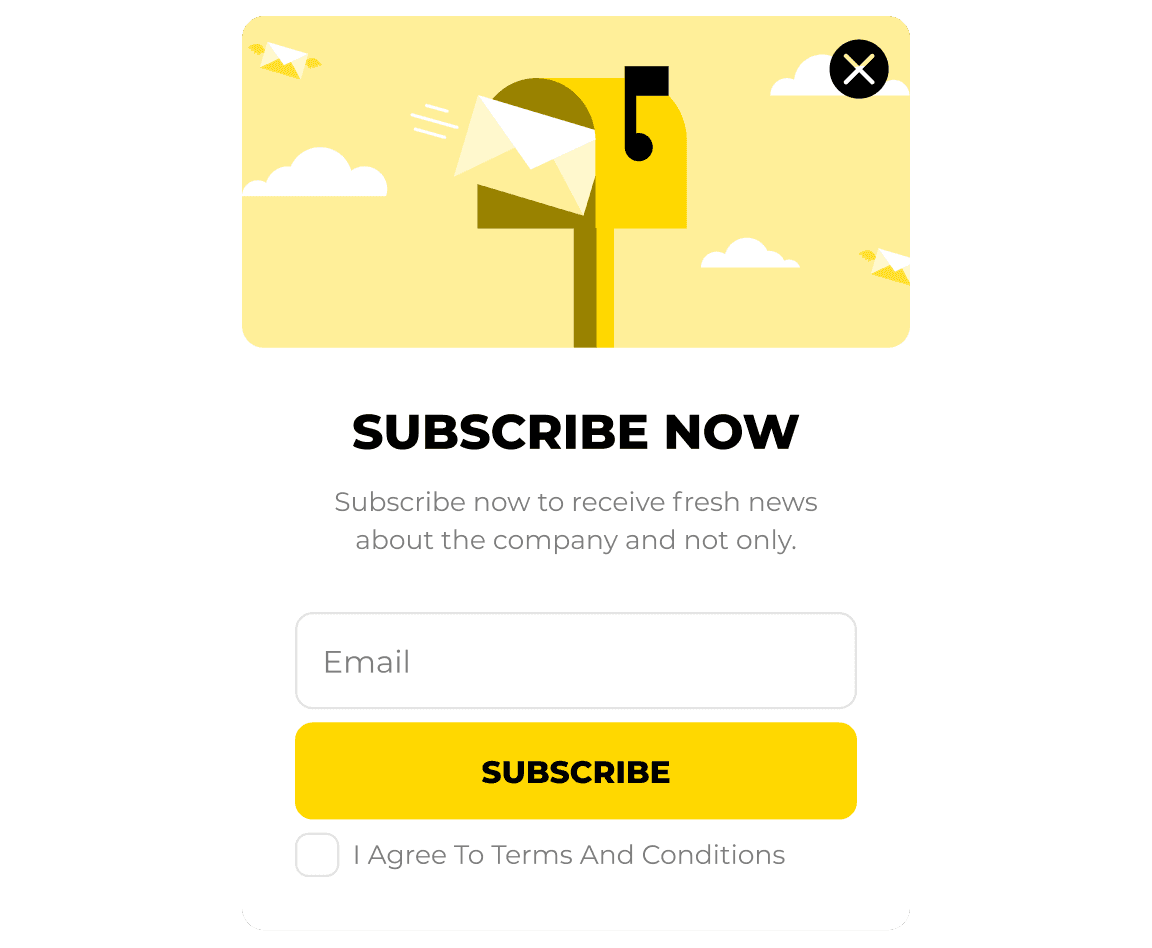
Turn visitors into opt-ins and sales
Turn visitors into opt-ins and sales
Create high-converting popups that capture intent at the right moment and move visitors closer to purchase.
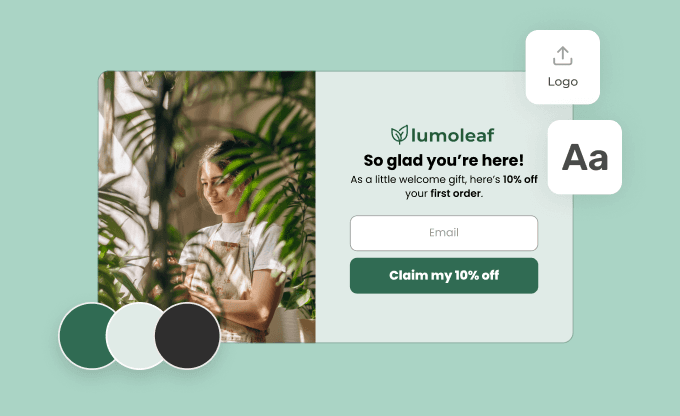
CRO-ready templates
You don’t need to build anything from scratch. Match your brand in clicks and test what actually increases opt-ins and sales.
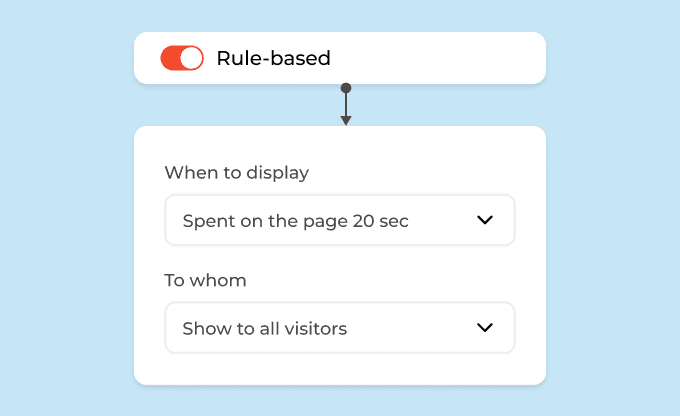
Target high-intent moments
Show popups based on behavior, timing, or traffic source. Reach visitors when they’re more likely to subscribe or buy.
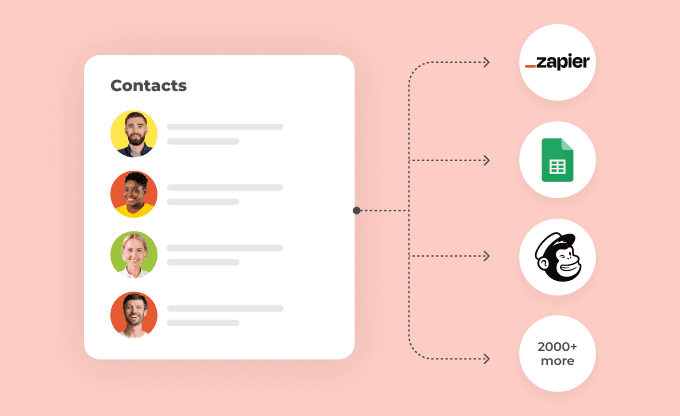
Sync with any tool
New contacts go directly to your ESP, CRM, or analytics tools — no manual work. The data is there when you need it.
CRO-ready templates
You don’t need to build anything from scratch. Match your brand in clicks and test what actually increases opt-ins and sales.
Target high-intent moments
Show popups based on behavior, timing, or traffic source. Reach visitors when they’re more likely to subscribe or buy.
Sync with any tool
New contacts go directly to your ESP, CRM, or analytics tools — no manual work. The data is there when you need it.
Find a CRO-ready template for your goal
Find a CRO-ready template for your goal
Explore templates built to convert more — from capturing emails to driving purchases. Use them as they are or customize in minutes.
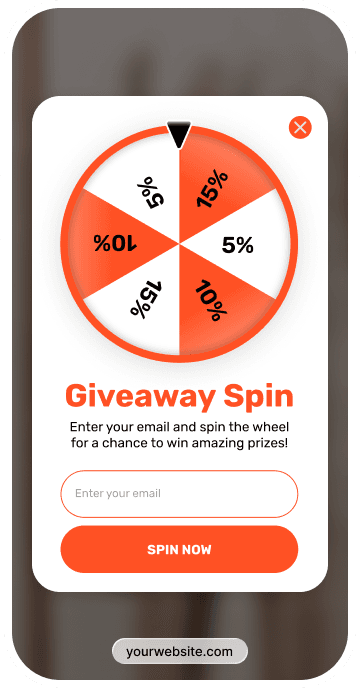
Spin the wheel
9.3% avg. CR
Use Spin-to-win popups to capture more subscribers and drive sales. This familiar format lowers friction, adds a sense of winning, and often outperforms static widgets — while you stay in control of the reward logic.
Gamification
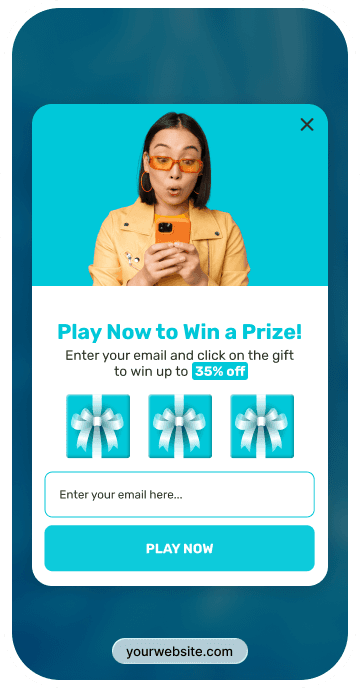
Pick a gift
7.3% avg. CR
Use Pick a gift popups to grow your list and drive sales. Letting visitors choose their gift makes the interaction feel more personal — and often gets a better response than static widgets.
Gamification
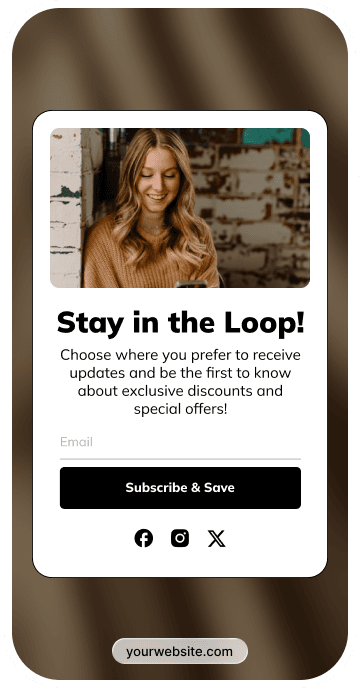
Newsletter sign-up form
4% avg. CR
Newsletter signup forms help you grow your list and turn it into sales over time. Some templates combine signup forms with games or quick choices, so you can segment subscribers early and convert more of them later.
Email capture
Spin the wheel
9.3% avg. CR
Use Spin-to-win popups to capture more subscribers and drive sales. This familiar format lowers friction, adds a sense of winning, and often outperforms static widgets — while you stay in control of the reward logic.
Gamification
Pick a gift
7.3% avg. CR
Use Pick a gift popups to grow your list and drive sales. Letting visitors choose their gift makes the interaction feel more personal — and often gets a better response than static widgets.
Gamification
Newsletter sign-up form
4% avg. CR
Newsletter signup forms help you grow your list and turn it into sales over time. Some templates combine signup forms with games or quick choices, so you can segment subscribers early and convert more of them later.
Email capture
1,000+ templates that convert passive visitors in opt-ins and sales
1,000+ templates that convert passive visitors in opt-ins and sales
⚡ Blazing-fast loading speed
⚡ Blazing-fast loading speed
🛡️ GDPR compliant & 99.9% uptime
🛡️ GDPR compliant & 99.9% uptime
🌐 Trusted by 100K+ active sites worldwide
🌐 Trusted by 100K+ active sites worldwide
More categories
More categories
FAQ
FAQ
An opt-in form template is a pre-designed web form that you can place on your website to collect contact info from your visitors. In exchange, you can offer them discounts, promo codes, downloadables, newsletters, and other exclusive perks. They allow you to capture leads effectively, build your own list, and establish direct communication with your audience without coding or design skills.
Opt-in templates make it easy and fast to design an opt-in form and publish it on your website, because they already have a proven structure with all the required components (headlines, fields, and buttons). All you need to do is personalize it.
There are a few of them, and Claspo offers a variety of incredible email opt-in form templates suited for different strategies and website goals. Each opt-in template is crafted to enhance user engagement and significantly improve conversions.
Popup forms
Popup opt-in forms effectively capture visitor attention and drive immediate subscriptions with customizable designs and strategic timing triggers. Perfect for special promotions, newsletters, sign-ups, and high-conversion campaigns.Floating bars
These forms are placed at the top or bottom of the page and are always visible. Thanks to this, they are excellent for site-wide announcements or “always-on” subscription offers.Floating box (slide-in) forms
Slide-in forms gently enter from the side or bottom of the screen, making them less intrusive yet highly noticeable. Ideal for ongoing subscription campaigns, blog sign-ups, or lead magnets.
Inline formsIntegrate seamlessly into your website content, offering a non-disruptive, natural subscription method ideal for blogs, articles, and product pages.
With Claspo, adding an email opt-in form template to a website is as easy as ABC. First, you don’t need to code anything. You simply need to add the Claspo script to your site once. Just copy and paste. Alternatively, there are dedicated Claspo plugins for WordPress and Shopify. Or, you can use Google Tag Manager. Second, you go to our drag-and-drop editor with a rich template library, and build an opt-in form to your needs. Then you set smart triggers to reach your visitors at the right moment. After that, sync your opt-in form with your marketing stack so all data flows into your tools. Finally, hit “Publish” and see those leads flow in.
Follow these easy steps to add an opt-in form to your website with Claspo.
Step 1. Choose your opt-in template
Select a well-designed opt-in form from Claspo’s extensive template library designed for diverse marketing goals.
Step 2. Customize the form
Fully customize the opt-in form to reflect your brand. Edit text, fields, design, and colors easily using our intuitive editor.
Step 3. Configure trigger settings
Great design is just the beginning. Claspo’s opt-in form builder also gives you full control over when, where, and how forms appear. Use behavioral triggers to show forms at the perfect moment. Add dynamic targeting to speak to different audiences based on location, device, or referral source.
Step 4. Integrate
Our platform integrates seamlessly with leading opt-in mailing list software such as Mailchimp, Klaviyo, ConvertKit, and Omnisend. Once connected, your new subscribers flow directly into your workflows and segments — so your marketing stays automated and personal from the first interaction.
Step 5. Publish and monitor results
Publish your opt-in form with a single click and use Claspo’s analytics dashboard to track form performance. Conduct A/B testing to continuously refine your approach and drive conversions. With built-in A/B testing, you can run experiments on your copy, visuals, or call-to-action and optimize based on real-time conversion data — no guesswork, no wasted traffic.
Claspo’s data from over 779M impressions shows that popups are the clear winners for conversion volume. While the average opt-in form converts at 3.5%, the top 1% of forms — 74% of which are popups — reach conversion rates of 27.5% or higher.
Popups work because they command immediate attention and focus the user on a single action. Embedded (built-in) forms, while less intrusive, often suffer from “banner blindness” and are better suited to specific, high-intent areas such as the end of a blog post or a website footer.
Format type | Avr. conversion | Best Job to be Done (JTBD) |
Pop-up | High (27.5%+) | Capturing attention for immediate offers (discounts, cart abandonment). |
Floating Box | Moderate | Providing visible, non-blocking invitations as users scroll. |
Embedded | Steady | Converting highly engaged readers who have finished an article. |
The highest conversion rates are where user intent meets peak engagement. For list growth, centered popups are the undisputed leaders, appearing in 73% of winning campaigns. For promotional visibility without interruption, floating boxes (slide-ins) in the bottom corner outperform fixed bars, especially in the travel (11.4% CTR) and food industries.
Meet the top-performing popup types, based on performance data:
Center-screen (Popups): Best for “cold” or new traffic. By placing the opt-in form front and center, you grab immediate attention for welcome discounts or lead magnets.
The “Exit path” (Exit-intent): Place a popup specifically to trigger when a user moves toward the close button. In e-commerce, this is the highest-performing "safety net" for recovering carts.
Bottom-right corner (Floating boxes): This is best for tourism and SaaS. It keeps the message visible while allowing the main content to “breathe,” resulting in higher engagement for ongoing promotions.
Post-content (Embedded): Place static forms at the bottom of articles. In the Education (4.9% CR) and Food (7.1% CR) niches, readers who finish a piece of content are highly primed to subscribe to more content.
The “Contextual bridge” (Teasers): Use small icons or buttons to trigger forms on pricing pages. This allows users to “opt-in” to the conversation when they are ready for a demo or quote.
The most effective copy uses a Benefit → Mechanic → Timing formula. Top-tier forms avoid generic phrases like “Sign up” in favor of value-first headlines (e.g., “Get 15% off”) and active, first-person CTAs (e.g., “Claim my reward”). 100% of the top-performing widgets are benefit-clear, ensuring users understand exactly what they gain in exchange for their email.
Headline examples (The hook):
Incentive-First: “Get -15% — Spin the wheel now” (Triples conversion with gamification).
Problem-solution: “Find insights 50% faster” (Best for SaaS engagement).
Curiosity hook: “Spin to reveal your mystery gift” (Drives 9.25% CR).
Urgency + incentive: “Only 2 hours left! Unlock your 10% discount” (Gives a reason to act now)
CTA examples (The action):
First-person benefit: “Send me the guide,” “Get my discount,” or “Unlock my access.”
Low-friction action: “Try now,” “See details,” or “Claim prize.”
To maximize conversions, keep your opt-in form as simple as possible — ideally, ask only for an email address. Performance data shows that “email-only” forms achieve the highest conversion rate (2.48%). Adding a second field, such as a name for personalization, can slightly lower the conversion rate, while high-commitment fields like phone numbers can drop conversions significantly (to around 1.99%). Only add fields that are necessary for your immediate marketing goals.
The relationship between the number of fields and conversion rates is a matter of friction. Every extra box a user has to fill out is a moment where they might reconsider and leave.
Single-field (Email only): This is the gold standard for high-volume list growth. It requires the least effort and decision-making from the user.
Two fields (Email + Name): This is a popular compromise. While it adds slight friction, it allows you to use personalized subject lines in your future email marketing, which can improve open rates over time.
Fields + Incentives: Interestingly, adding an element such as a promo code or a countdown timer can actually improve the performance of a multi-field form. Users are often willing to provide more information when the immediate reward (such as a 10% discount) is clear.
High-friction fields: Avoid asking for phone numbers, job titles, or specific interests unless you are in a B2B or high-ticket service niche where lead qualification is more important than raw volume.
Based on Claspo's insights from 779M impressions, single-step forms consistently outperform multi-step versions in total signups. Although multi-step forms help collect richer data, the added friction drops average conversion rates to 0.43%, compared to 2.48% for simple email forms. For growth, less friction wins.
Form type | Avr. conversion rate (CR) | Best use case |
Single-step (Email only) | 2.48% | Mass list growth and first-time visitor capture. |
Single-step (Email + Promo) | 3.85% | E-commerce welcome offers and high-intent sales. |
Multi-step form | 0.43% | B2B lead qualification, service funnels, or quizzes. |
This depends on many factors, like the specifics of your business, your audience type, their engagement level, and the page context. One rule remains universal, though: immediate forms are considered a bad practice as they increase bounce rates and hurt your SEO. To reach your website visitors only when it’s relevant, use behavioral triggers. There are a bunch of them in Claspo, and by matching the trigger to the point in the user’s journey and job you need to be done, your opt-in form becomes a valuable, well-timed offer.
Trigger type | Best use case | Why it works |
Time-on-page | General newsletters | Catches “warm” visitors who have settled in and got to know you (usually 15–30s). |
Scroll depth | Blog posts/Articles | Reaches readers at 50–70% depth once they are most convinced of your value. |
Exit-intent | Cart/Checkout | A “last-chance” incentive (on desktop) to save a lead before they close the tab. |
Inactivity | Distracted users | Re-engages “idle” visitors who have stopped moving or scrolling for a set time. |
Pageviews | High-intent users | Targets fans who have viewed 3+ pages, indicating strong brand interest. |
AND Logic | Qualified leads | Combines rules (e.g., Time + Exit) to ensure only deeply engaged users see the form. |
It’s very easy to start annoying your visitors or ruin your brand image if you show forms too often. We recommend showing forms only once per session or after a specific interval, so it doesn’t bombard your visitors every time they open a page or refresh the page. Claspo offers the following settings:
Frequency rule | Best use case | Why it works |
Once per session | Standard newsletters | Limits interruptions to one display per visit to keep the UX clean. |
Silent intervals | Multi-widget sites | Implements a 3–5 minute gap between different popups to avoid “stacking.” |
Dismissal respect | High-intent offers | Hides the form for several days (e.g., 7–14 days) if a user manually closes it. |
Stop after action | All opt-in forms | Automatically hides the form permanently once a user has successfully subscribed. |
Custom limits | Time-sensitive deals | Allows a set number of views (e.g., 3 times per week) to drive urgency without spamming. |
You can control who sees your opt-in forms with the help of Claspo’s advanced targeting rules. Go to the Triggering settings and find the “To whom” setting. Choose to display your opt-in form only to “New” visitors. This way, the system will recognize and sort your visitors, making the form only appear during a user's very first session. If you want more precise control over existing subscribers, Claspo offers advanced settings such as cookies, Local Storage, and JavaScript variables to detect a user’s status and hide forms when conditions are met.
It’s very easy to integrate Claspo opt-in forms with your marketing stack — it happens directly on the platform. You can transfer all data collected via an opt-in form to your contact database for future use. Claspo clicks in seamlessly with the most popular ESPs, CDPs, and CRMs on the market — just click +Add integration and choose the tool you need from the drop-down list. If your specific software isn't listed, you can go with Zapier or Webhooks.
With Claspo’s built-in A/B testing, you can try different opt-in email wording, CTA button styles, form placement, timing (immediate vs. delayed trigger), and other display rules to see what works for your audience.
This helps improve your open rates, refine your opt-in email list quality, and avoid relying on assumptions. Test one variable at a time and measure results through your confirmation email interactions or click-through rates. The more optimized your opt-in form, the more effective your email funnel becomes — from signup to unsubscribe (which should always be easy and clear).
A smart opt-in process, supported by thoughtful confirmation, strong copy, and data protection, is what separates successful brands from inbox clutter. Whether you’re in ecommerce, SaaS, or publishing, the way users join your list affects how they interact with you long term. With Claspo, you’re not just creating forms. You’re building trust from the very first click.
Not really. Opt-in forms will hurt your website’s SEO only if they create a bad user experience and fall under the “intrusive interstitials” definition. This means that the popup blocks content on page load, especially on mobile devices. To keep your opt-in forms SEO-friendly, don’t make them full-screen and don’t trigger them immediately on arrival. Using behavioral triggers like scroll depth or time delays will help you avoid annoyance and show your message at the right moment.